Restaurant Operations Software for Multiple Locations: A Field-Tested Operating Model
How multi-unit owners should define operations scope, align GMs, integrate systems, and build a sustainable cadence when adopting restaurant operations software for multiple locations.
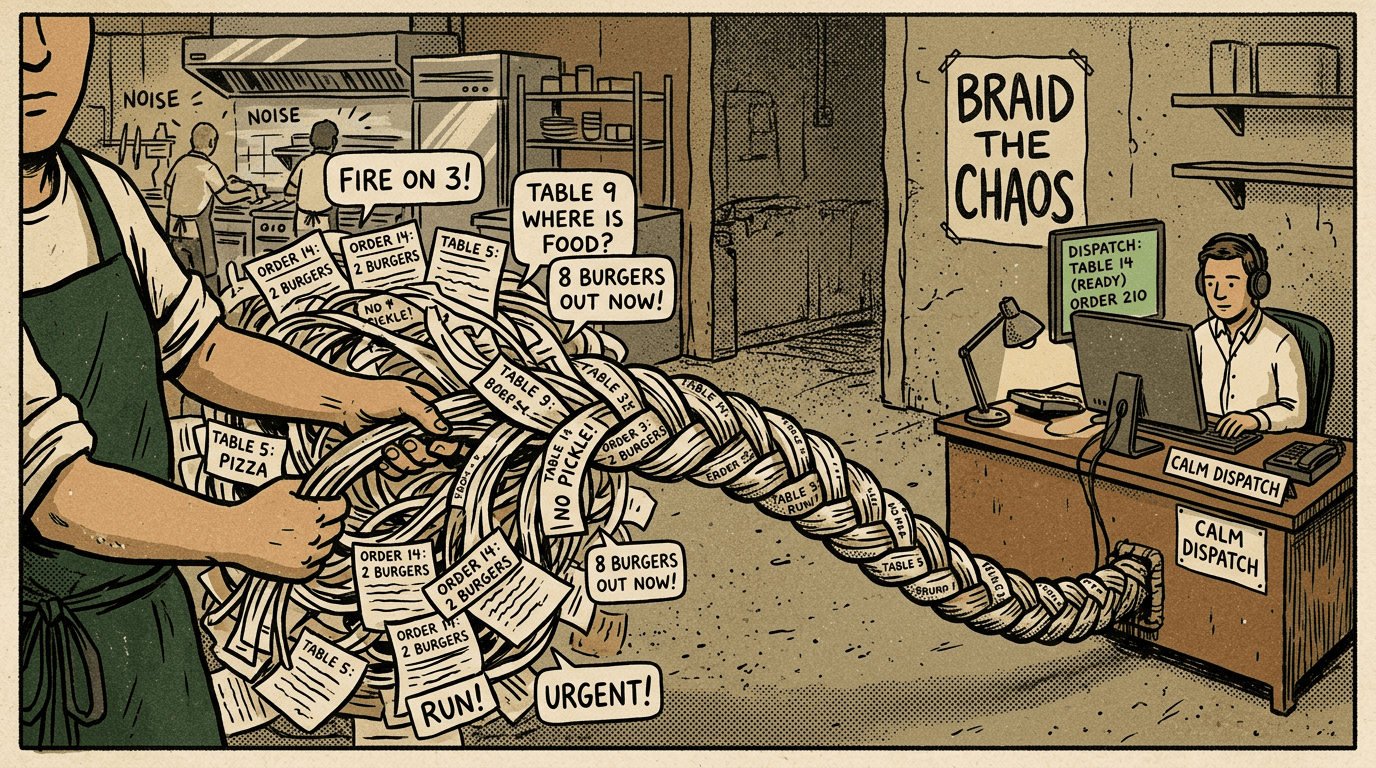
In a Nutshell
- Treat ops software as shared infrastructure—a contract for seeing work, owners, and closed loops—not a miracle app.
- Start with a one-page scope: what’s brand-wide, what varies by market, and what stays purely local.
- Turn policies into workflows (trigger, owner, outcome, record), especially for weekly cadences like walk-throughs and repairs.
- Integrate where teams already work; avoid double entry that dies the first busy Saturday.
- After ~90 days you should see searchable history and fewer “what happened?” meetings—if not, tighten the system or adoption, not blame people.
Restaurant operations software for multiple locations is not a single app that solves everything. It is an operational contract: a shared way to see work, assign ownership, and close the loop when reality changes fast. If you treat software like a miracle, you will get resentment. If you treat it like infrastructure—like plumbing or a well-lit prep line—you can build a culture where information moves as quickly as your best expediter moves plates.
Related on UnitPass: Multi Location Restaurant Management Software: How to Choose a System That Survives Real Shifts
Define “operations” clearly before you shop
Different leaders define operations differently. For some it is food safety, line setup, and recipe adherence. For others it includes facilities, supplier performance, scheduling accuracy, and marketing execution. Before selecting tools, write a one-page scope statement for your group. List what must be standardized brand-wide, what can vary by market, and what is purely local discretion. That document prevents you from buying a module nobody wants and it prevents your GMs from feeling bulldozed by arbitrary HQ mandates that do not match guest realities.
Once scope exists, translate it into workflows. A workflow is not a policy PDF. It is a sequence of actions with a trigger, an owner, an expected outcome, and a record. For multi-unit groups, the best workflows repeat every week: weekly walk-through findings, vendor follow-ups, training completions, marketing readiness checks, and repair escalations. Your software should make those cadences easier than texting someone “hey reminder.”
Alignment beats configuration
The hardest part of multiple locations is not adding a store to a dashboard. It is making sure each store manager understands why a field exists. Software succeeds when people know what “done” looks like. Run a short workshop series with your operators: showcase one workflow end-to-end, capture objections, and adjust naming to match your internal language. The labels should sound like your team, not like a generic enterprise glossary.
Also align incentives. If leadership rewards only sales and labor percentage, managers will optimize for those metrics even when preventative maintenance and brand consistency suffer. If you introduce operational rigor, pair it with recognition—not only for revenue, but for clean records, fast ticket resolution, and proactive escalation. Behavior follows what gets praised.
Integrations: connect what you already rely on
Most restaurants already run a stack: POS, payroll, banking, scheduling, email, chat, and often an accounting system. Restaurant operations software for multiple locations should sit where work actually happens, not force everybody to live in a new inbox. Prioritize tools that offer practical integration paths: webhooks, stable API access, reliable exports, and thoughtful defaults for common platforms. Be cautious of “all-in-one” promises that replace specialist systems without matching depth.
The goal of integration is not to mash unrelated data together. The goal is to prevent double entry and to preserve a timeline. When a maintenance issue ties to a vendor payment and a photo timestamp, you can answer questions later without detective work. When marketing events link to store readiness tasks, promos launch on time more often. Integrations earn trust when they save double work at the moment of highest friction—during service, not during admin hour.
Cadence is how software becomes culture
A platform becomes valuable when your weekly operational rhythm references it. That means leadership asks for reports from the system, not from screenshots floating in chat. It means area coaches review open items by location and celebrate closures. It means new hires learn the workflow as part of day-one survival skills, alongside where the sanitizer buckets live and how to call out orders.
Cadence also protects you during turnover. Restaurants churn managers; that is reality. If operational memory lives only in tenured minds, every transition creates a small crisis. Software cannot replace judgment, but it can preserve context—who tightened the wobbly table leg, what vendor last serviced the hood, which store trialed a new promotion messaging kit. Context is how new leaders avoid repeating expensive mistakes.
Risk, safety, and the quiet value of documentation
Operations software often gets justified with labor savings, yet many of the most expensive failures are legal, insurance, or compliance related. Slip hazards, fire suppression service gaps, and incomplete training acknowledgements can dwarf a month of small efficiency gains. A multi-location operations approach should make documentation easy enough that it happens in the moment, not three days later when memories blur.
This does not mean turning managers into lawyers. It means building lightweight habits: photo attachments, short notes, timestamps, and clear escalation paths. When incidents occur, you will be grateful for a coherent trail. Guests rarely see this work, but it protects the brand that guests do see when they walk through the door expecting consistency and care.
Scaling from a few units to many without losing the soul of the brand
Growth amplifies fractures. A slightly chaotic repair workflow becomes chaos at fifteen locations. Restaurant operations software for multiple locations should scale admin without scaling confusion. Look for patterns that replicate: templates, role templates, cloning settings with controlled overrides, and reporting that compares stores fairly using consistent categories. If you cannot compare apples to apples, you will argue about numbers instead of solving root causes.
Keep local personality where it creates guest love—neighborhood charity nights, local partnerships, micro-seasonal specials—while standardizing the operational spine. Guests should feel a unified brand promise even when each community has its own flavor. Software is the spine: predictable, sober, reliable. The floor is where hospitality stays human.
What “good” looks like after ninety days
After ninety days, you should see fewer “what happened?” meetings and more “what is next?” meetings. Open tasks should have owners. Completed tasks should have timestamps. Vendor interactions should be searchable. Leadership should tour metrics that reflect operational reality, not optimistic anecdotes. If you still rely on heroic effort to keep the trains running, assume the system or the adoption approach still needs tightening—not assume your people are the problem.
- Write a scope statement: brand-wide standards vs local discretion.
- Convert policy into repeatable workflows with owners and records.
- Integrate where work already happens; avoid double entry during service.
- Establish weekly cadence referenced by leadership—not occasional heroics.
Sources & further reading
Authoritative references for context (not endorsements of any vendor):